
Boston 25 News
Cox Media Group Inc.News & Magazines
4.21.33K Reviews
- Version
- Varies With Device
- Installs
- 100.00K
- Age Rating
- Everyone
Screenshots

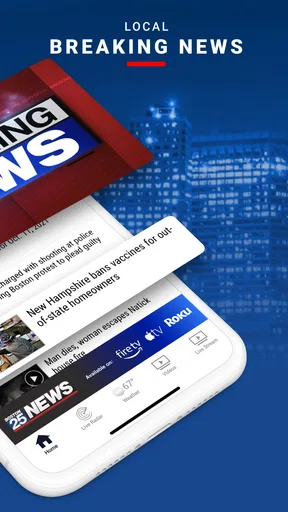
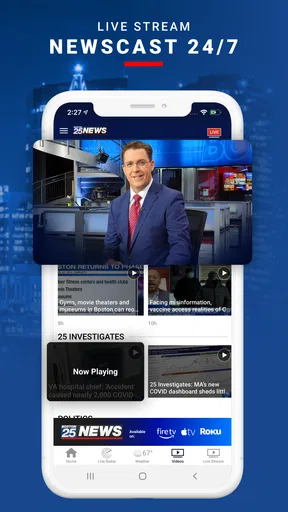
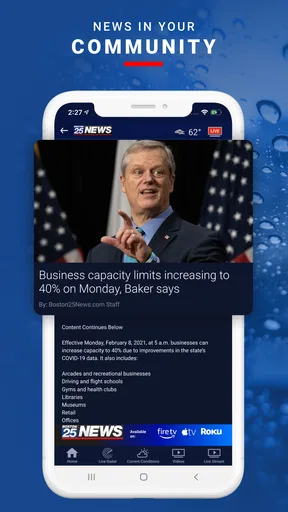
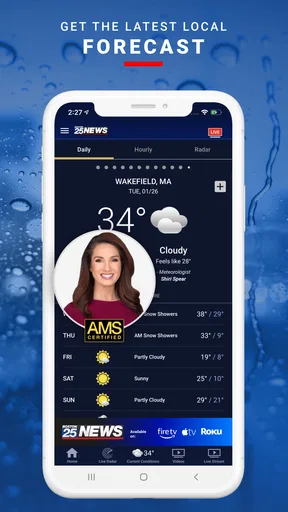

Our Review of Boston 25 News
 Analysis by Appyee
I found Boston 25 News most useful when I treated it as a quick local-news companion rather than a complete replacement for every news source on my phone. It brings together Boston-area reporting with weather, radar, traffic, sports, and live video, so the experience is built around checking what is happening right now. That focus makes it especially practical during a changing commute or a developing weather situation, but it also means the app depends heavily on a reliable connection.
As a free News & Magazines app from Cox Media Group Inc., it is easy to try without making a purchase decision first. Its Everyone age rating also makes it suitable for a broad household audience. The app has been available since June 11, 2010, and its current presence is reflected in an average rating of 4.2 from around 4.6 thousand ratings, with over 100 thousand installs. Those figures suggest a well-established local-news option, although popularity alone does not guarantee that every part of the experience will suit every reader.
How Boston 25 News fits into everyday mobile news use
I look at Boston 25 News as a quick local check-in: the key question is what I need to know before I leave, rather than how long I plan to browse. That mindset helps me choose between headlines, weather, traffic, or live coverage without treating every section as equally urgent. The next part follows how I would turn that first check into a practical decision.
The strongest moments depend on a good connection
The app makes the most sense when I need timely information rather than something to read at leisure. Live video, weather updates, radar, traffic information, and sports coverage all become more valuable when conditions are changing. If I am deciding whether to leave home, checking a storm’s direction, or trying to understand a traffic problem before driving, current information matters more than a large archive of articles.
That strength is also the app’s central limitation. The most time-sensitive parts of the experience are network-dependent. A live video stream needs a stable connection, and radar or traffic information is not very useful if the screen cannot refresh. Even an ordinary news article may take longer to open in a weak-signal area. I would not make this my only source of information during a connectivity problem, especially when I need immediate weather or road guidance.
In a strong home or office connection, the app feels more purposeful than a general national-news application. The local emphasis reduces the effort involved in finding Boston-area information. I do not have to search through a broad national feed to locate a regional traffic item or local weather development. That narrower focus is a real advantage for residents and commuters, while users outside the area may find it less relevant.
A practical routine for commuting and weather checks
One useful routine is to check the app before leaving rather than repeatedly opening it while moving. I can look at the latest local headlines, review the weather view, and check traffic while still connected to home Wi-Fi or a dependable mobile signal. This turns the app into a preparation tool instead of something I rely on at the exact moment a connection becomes unreliable.
For example, imagine leaving work while rain is developing and traffic is already slowing. I would first open the weather and radar information, then look at traffic coverage, and finally scan the latest local reports for incidents that might explain the delay. If the connection is strong, the combination is convenient because I can move between related information in one local-news environment. If the signal drops after I leave, I would already have made the important decision instead of waiting for a stream or map-like view to load beside the road.
That workflow reveals a less obvious trade-off: the app is most helpful when used proactively. People often think of live news apps as emergency tools that can be opened only after something happens. In practice, a short check before a journey may be more reliable than depending on continuous updates during the journey. I also prefer checking it while parked rather than interacting with a phone while driving.
Live video is useful, but it is not always the efficient choice
Live video can add context that a headline cannot. Seeing a developing local story or following a broadcast can make an event easier to understand, particularly when written coverage is still brief. However, video is also the part of the app I would use most selectively. It generally requires a stronger, steadier connection than text, and it can be inconvenient when I only need one fact, such as whether a road problem is affecting my route.
My preference is to begin with written updates and use live video when the visual context genuinely helps. This is a practical way to avoid waiting for a stream when a short article or alert already answers the question. It also makes the app more comfortable to use on a limited mobile connection. The presence of live video is valuable, but it should not be mistaken for the best format for every situation.
What changes when I use it away from home
At home, the app benefits from a stable connection and a larger screen if I am using a tablet. On a phone, its value is more situational: a quick weather check before walking out, a traffic glance before starting a trip, or a local headline check during a break. The smaller display makes it important to avoid treating every section as something that must be explored in depth.
Mobile use also changes how I judge the app’s speed. A brief delay may be barely noticeable on a home network but frustrating when I am standing outside, moving between buildings, or using a congested public connection. Because the app gathers several live-oriented information types, the quality of the network can shape the experience more than it would in a simple text-reading application.
I would recommend setting a clear purpose before opening it on mobile data. If I want local headlines, I go directly for those. If I need a weather decision, I focus on radar and current conditions. If I am checking a journey, I prioritize traffic. This sounds simple, but it prevents the app from becoming a stream of repeated refreshes and unrelated browsing.
Handling weak signal, stalled loading, and interruptions
The key recovery habit is patience with the right expectation. When a live element stalls, repeatedly tapping it is unlikely to create a better connection. I normally stop, move to a location with a stronger signal if possible, and reopen the relevant section once the connection improves. If I only need general awareness, I switch from video to text rather than insisting on the more demanding format.
This is where Boston 25 News differs from a printed local paper or a fully downloaded reading list. Its value is freshness, but freshness requires communication with the service. A weak signal can turn its main advantage into friction. I would therefore avoid depending on it as the sole channel for critical instructions. For serious emergencies, official local authorities and direct emergency communications should take priority over any news application.
Another realistic interruption occurs when I move from Wi-Fi to mobile data during a commute. A page or stream that began loading at home may not behave the same way after the network changes. I find it better to finish a quick check before leaving rather than assume the transition will be seamless. This is not a criticism of the local coverage itself; it is a reminder that a live-news workflow is only as dependable as the connection supporting it.
Using the app without wasting mobile data
Because the app includes live video and other changing information, I would be careful about browsing casually over mobile data. The simplest approach is to reserve video for moments when it adds real value and use text for routine headline checks. Weather and traffic can also be checked with a specific question in mind instead of leaving the app open while repeatedly refreshing.
On a limited plan, Wi-Fi is the sensible place for longer viewing. I would also avoid opening live coverage merely as background entertainment when I am away from a trusted network. The app is free to download, but “free” does not mean that every use has no practical cost: mobile data, battery, and time can all matter. That is an important distinction for commuters and anyone using an older phone.
A useful personal rule is to make one information pass. I check the latest local story, inspect the weather or radar if needed, and look at traffic only when it affects a specific route. This keeps the app focused and reduces the temptation to consume a continuous stream of updates that may not change my decision. In my experience, the app feels more efficient when I use it as a tool for decisions rather than as an endless feed.
Where it compares well with broader news alternatives
Compared with a national news app, Boston 25 News has a clearer regional purpose. A broad service may offer more national and international depth, but it can require extra searching before I reach Boston-specific information. For local weather, traffic, sports, and live coverage, the focused approach is more direct.
Compared with a dedicated weather application, this app is less specialized. A weather-only tool may be preferable when I want detailed forecasting as the main task. Boston 25 News is more useful when weather is part of a wider local picture that also includes reporting and traffic. I see it as a convenient combination rather than a replacement for every specialist application.
The same applies to traffic tools. A dedicated navigation service is usually the better choice for turn-by-turn route planning. Boston 25 News is valuable for the surrounding context: a local report, a developing incident, or coverage that explains why travel conditions have changed. The trade-off is breadth versus focus. It gives me several kinds of local awareness in one place, but it is not designed to be the most advanced tool in every individual category.
Who will appreciate it, and who should skip it
I think the app is a good match for Boston-area residents, commuters, local sports followers, and people who want weather and regional reporting together. It is particularly convenient for someone who does not want separate applications for local news, radar, traffic awareness, and live coverage. The free price also makes experimentation easy.
I would be more cautious recommending it to someone who lives far outside the Boston area, wants mostly national or international reporting, or needs a specialist weather or navigation tool. It may also disappoint readers who expect every part of a news experience to remain equally useful with a weak connection. The app’s live orientation is a strength when connected and a limitation when connectivity is poor.
For families, the Everyone rating removes an obvious age barrier, but I would still remember that news content can cover serious or upsetting events. The rating describes general suitability rather than guaranteeing that every story will feel comfortable for every reader. That is normal for a local-news service, especially one covering developing events.
My final view on its connected experience
Boston 25 News works best as a connected local information hub. Its combination of regional news, weather, radar, traffic, sports, and live video gives me a practical reason to open it during ordinary routines, especially before a commute or when conditions are changing. Cox Media Group Inc. has positioned it around immediacy and local relevance, and that focus is more useful than a generic news feed when Boston-specific context is what I need.
The main trade-off is clear: the app’s most valuable experiences rely on a dependable network. I would use Wi-Fi or a strong mobile signal for live video and longer browsing, check essential information before leaving home, and switch to lighter text-based use when data or connectivity is limited. The best way to use this app is proactively: check it before a decision, not as your only fallback after the connection fails.
Overall, I recommend it to readers who want free, local coverage in a single Android or iOS news experience and understand the limits of live mobile content. I would pair it with a dedicated navigation or weather service when precision in one area matters more than convenience. Used with that expectation, it is a useful everyday companion rather than an all-purpose replacement for every information source.
Verdict
Strengths of Boston 25 News
- Fast access to breaking news across the Boston area
- Live newscasts and video reports are easy to find
- Useful weather forecasts, radar, and severe weather alerts
- Local traffic updates help with daily commuting
- Push notifications keep you informed about major developments
Limitations of Boston 25 News
- Some alerts may feel frequent or repetitive
- Video playback can use significant mobile data
- Advertising may interrupt browsing and news viewing
- Coverage is mainly regional and less useful outside New England
- Some stories require scrolling through several sections to find
Other Releases by Cox Media Group Inc.
View All
Action News Jax
News & Magazines4.3

95.5 WSB
News & Magazines4.1

WSB-TV News
News & Magazines4.5

102.5 The Bone: Real Raw Radio
News & Magazines3.3
Similar Picks in This Category
View All
Google News - Daily Headlines
Google LLC4.0

X
X Corp.4.8

Flipboard:Your Social Magazine
Flipboard3.4

Opera News: breaking & local
Opera4.5

Hindi News by Dainik Bhaskar
Dainik Bhaskar Group4.0

Way2News Daily News App
Way2News ( Formerly Way2SMS )4.6
Frequently Asked Questions
What is the Boston 25 News app?
Boston 25 News is a local news application focused on the Boston area and surrounding communities. It brings together breaking news, live updates, weather forecasts, traffic information, videos, and coverage of important regional stories. After installing it, users can browse the latest headlines, watch available live or on-demand reports, and receive notifications about major developments as they happen.
Does Boston 25 News provide live news and weather coverage?
Yes, the app is designed to provide timely local coverage, including breaking news reports, live updates when available, weather forecasts, radar information, and severe-weather alerts. The exact availability of live streams or specific features can depend on your location, the time of day, broadcast rights, and the current news schedule. A reliable internet connection is recommended for video and live content.
Can I receive breaking-news and emergency notifications?
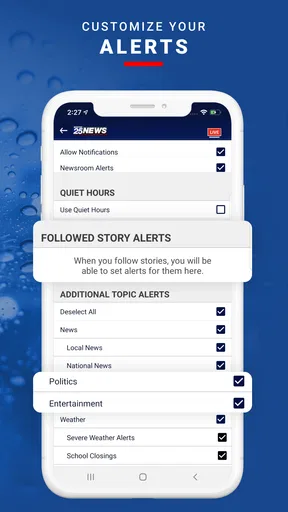
Boston 25 News can send push notifications about breaking stories, severe weather, traffic disruptions, and other important local events. During setup, you may be asked to allow notifications, and you can usually manage these permissions later through the app or your phone’s settings. If you prefer fewer alerts, review the notification categories and disable topics that are not relevant to you.
Is the Boston 25 News app free to download and use?
The application is generally available to download without an upfront purchase, allowing users to access a selection of news articles, videos, weather information, and other local content. However, mobile data charges may apply when using cellular networks, especially for video or live streams. Some content may also include advertising, and availability or features can vary by region and platform.
What information and permissions does the app require?
The app may request permissions such as notifications, location access, and network connectivity. Location permission can help provide more relevant weather forecasts, traffic details, or local coverage, while notifications are used for breaking-news alerts. You can deny optional permissions, although some personalized features may be limited. Before downloading, review the app-store privacy information and the developer’s current data practices.
